Everything you need. Nothing out of place.
Pimeli is an uncluttered presentation tool, hosted in France. Seven features, each one carefully made, to build beautiful slides and show them without fuss.
The editor, in four pieces


The toolbar
Insert, Layout, Share, Present: everything starts here. Everything else is a ⌘K away.
Your slides
In order, each with its duration. Drag them to change the order.
The page
What you see is what goes on the big screen. You type straight onto it.
The settings
Only for what you’re working on: an image shows its image settings, a slide its background.
1 / 7
Compose.
Put a title, an image, a table or a chart wherever you like. Pimeli keeps things aligned: elements snap to the grid, and the slide stays clean, even after ten rounds of edits.

Anything goes in.
Text, images, GIFs, shapes, arrows, icons, tables, charts, even a video or a map. It all starts from the “Insert” button.
Everything lines up.
Guides appear when two elements meet. “Align to slide” sets the rest in one click.
Each image is edited in place.
Replace, crop, remove the background, adjust the brightness: without leaving the slide or opening another app.

2 / 7
Lay out.
Say what the slide has to carry: a number, three steps, a comparison, a quote. The layout handles the sizes, the margins and the balance. Switch to another in one click, without retyping a word.


More than twenty layouts. Here are ten, from a single presentation. There’s also the short list, the timeline, the 2 × 2 matrix, key figures, the question to the audience and the conclusion.
3 / 7
Style.
A template sets the colors, fonts and decoration of the whole presentation in one go. Here is the same slide in six templates: not a word has changed.

-
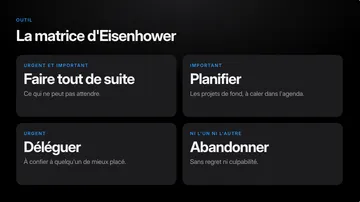
-
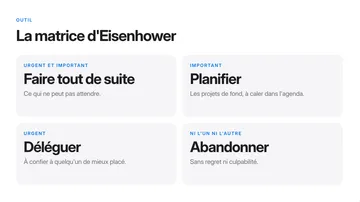
-
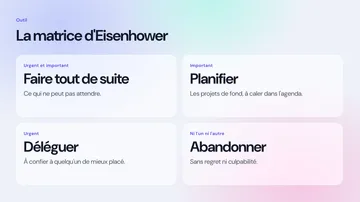
-
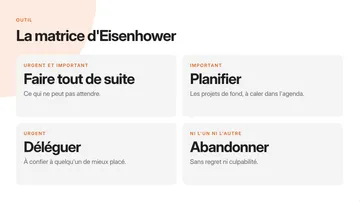
-
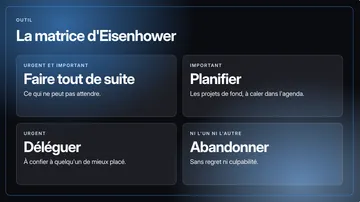
-
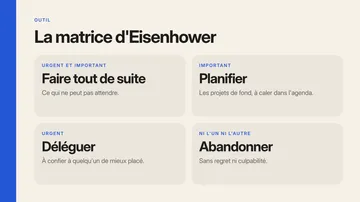


Ready to use.
Two built-in themes, Noir Studio and Blanc Studio, plus sample templates to get you off to a good start.
Yours, in one sentence.
Describe the style you want: Pimeli builds its colors, fonts, decoration and layouts. Then you adjust whatever you like less.
In your brand colors.
A brand kit keeps your logo, colors and font, and applies them to the template of your choice.
4 / 7
Start.
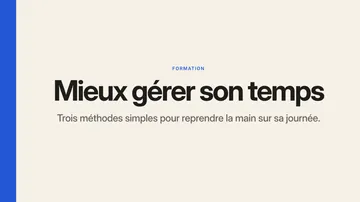
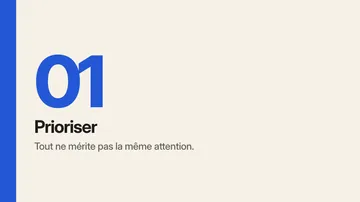
Three ways in, depending on what you have to hand: nothing, a PowerPoint, or some rough text. They’re all behind the same button.
-
Create a document
A blank page, in the theme or template of your choice. The layouts are already there: all you have to do is write.
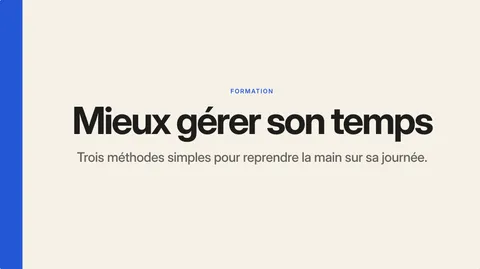
-
Import a file PowerPoint
Your PowerPoint becomes a Pimeli presentation. You pick it up, tidy it up, give it another template.
training.pptx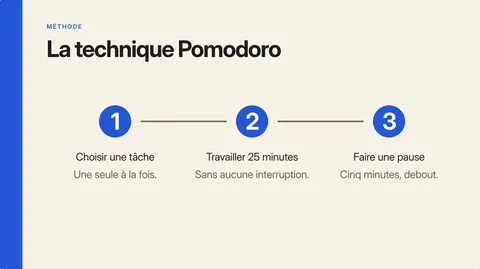
-
Create with AI
Paste your notes, an article or a training outline, or attach a file. Pimeli writes the slides, in your template. Tick “Limit to the content provided” and it adds nothing of its own.


5 / 7
Present.
On the day, “Present” starts from the slide on screen. The room sees that slide full screen. You see the next one, your notes and the time ticking by.

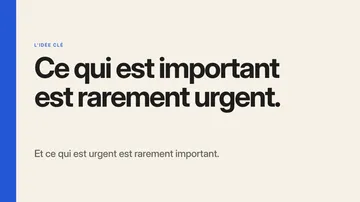
Leave the sentence on screen for a few seconds. Then ask the room: what did you do yesterday that was urgent? Was it important?
On the screen of your choice.
Full screen on the projector, or in a window you can share on a video call.
Your notes in front of you.
The current slide, the next one, your notes at whatever size suits you, and the elapsed time.
All from the keyboard.
The arrow keys or a clicker to move on, B for a black screen, L for the laser pointer, a number then Enter to jump to a slide.
7 / 7
Give it a voice.
Under each slide, you write what you would say. If you like, Pimeli says it for you, in a natural voice: the presentation then plays on its own, through the link or as a video.

What is important is seldom urgent, and what is urgent is seldom important. Before you answer a message, ask yourself: which of the two is it?
Your notes become the voice.
What you write under the slide is read as written. Fix one sentence, and only that slide’s voice needs redoing.
Tricky words come out right.
An acronym, a name, a foreign word: you show once how to pronounce it.
Another language, another copy.
“Translate presentation” makes a copy in the language you choose, text and notes included. The original stays as it is.
Hosted in France.
Your presentations and files are hosted in Paris, by a French hosting provider. And your link statistics work without cookies.